
How it works. Your travel
eSIM in just 3 minutes.
What is an eSIM?

An eSIM (embedded SIM) is a digital SIM card built right into your smartphone, tablet, or connected device. Unlike traditional physical SIM cards, it's fully virtual, no handling required. You activate mobile plans instantly, over the air, by scanning a QR code or through an app, no swapping, no fuss. Since taking off in 2017, eSIM technology has transformed how we connect, making mobile connectivity more flexible, convenient, and eco-friendly.
Quick setup in 3 simple steps
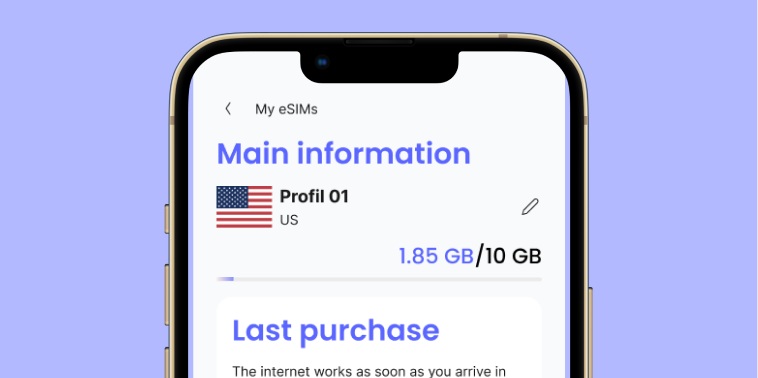
1. Pick your plan
Find the plan that fits your trip: choose your destination, data amount, and duration. Add to cart, pay, and get your QR code by email.
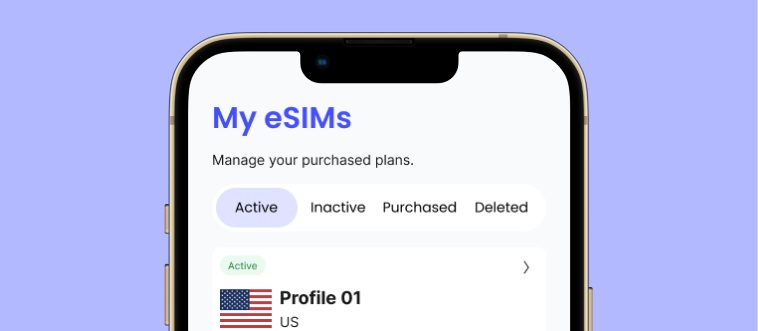
2. Install your eSIM in 2 minutes
Scan the QR code from our app, your email, or right after checkout on our website. Then just follow the instructions in your device settings. No tech skills needed, it's done in a flash!
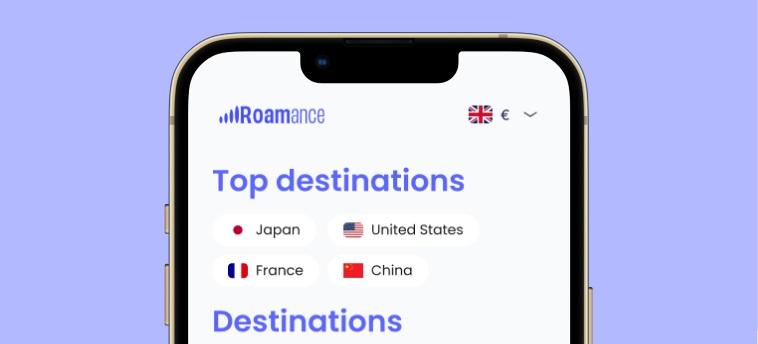
3. Enjoy, hassle-free
As soon as you land, your plan activates automatically. No more SIM-swapping headaches, no surprise charges, just a smooth connection throughout your stay.
How to top up
Need more data? Top up your eSIM in the Roamance app:
Log in to your Roamance account.
When subscribing online, select the eSIM option or add it later from your carrier's app or website.
Go to My eSIMs.
You'll get a QR code or activation link via email or SMS.
Tap the eSIM you want to top up.
Scan the QR code or enter details manually in your device's cellular settings.
Tap Top up.
Follow on-screen instructions and enter default PIN codes if prompted. Your eSIM is ready to use.
How to activate your eSIM?
Activate your eSIM in just a few seconds, directly from your phone. Your plan starts automatically as soon as you connect abroad.
Activate your eSIM on iPhone
1. Go to your iPhone settings and then to "Cellular"
2. Tap on "Add eSIM"
3. Select "Use QR Code" and scan the QR code found in your order confirmation email.
4. Confirm and let your phone install the eSIM automatically. (If you have trouble scanning the QR code, check the "Manual Steps" tab).
Activate your eSIM on Android
1. Go to your phone settings and then to "Network & Internet" (or Connections on Samsung)
2. Tap the "+" to the right of "SIMs"
3. Tap "Add eSIM"
4. Scan the QR code found in your order confirmation email. (If you have trouble scanning the QR code, check the "Manual Steps" tab).
Activate your eSIM without a QR Code
1. On IOS, from the screen inviting you to scan the QR code, find the "Enter manually" button. On Android, from the QR code screen (step 6), tap "Need help?" then "Enter manually"
2. Enter your SM-DP code and your activation code received in your order confirmation email, then confirm.

Is your device eSIM-compatible?
Most recent smartphones, tablets, and connected devices support eSIM technology. Common compatible devices include:
.01
iPhone: iPhone XR and newer, including the latest iPhone 16 lineup (some US models are eSIM-only).
.02
Samsung Galaxy: recent models in the Galaxy S and Note ranges.
.03
Google Pixel: Pixel 3 and later models.
.04
Xiaomi and other brands: more and more models now support eSIM.
.05
Connected devices and vehicles: many smartwatches and select car models include an eSIM for seamless connectivity.
.06
Check your device specs or your carrier's compatibility list to confirm support.
Try our app!
Get connected fast by downloading our easy-to-use mobile app!
Scan the QR code below with your phone camera to go straight to the download page.
Once installed, you can top up, buy, and activate your eSIM plans all in one place, no hassle, no waiting.
Make your travel connectivity simple and stay in control anytime, anywhere.
 App Store
 Google Play
Frequently asked questions
Can I use a single eSIM in multiple countries?
Yes! With Roamance, you can buy regional or global plans that work across multiple countries. Just activate your eSIM once and enjoy smooth connectivity throughout your trip.
Are plans valid for a specific number of days?
Yes, our plans come in different durations, from 1 day to 30+ days. Pick the validity that fits your needs, and your data stays active the entire time.
What if my eSIM won't connect while traveling?
Our customer support is available 6 days a week from 8 AM to 8 PM to help you fix connection issues. Common fixes include turning on data roaming, restarting your device, or selecting a carrier manually. Reach out anytime for help.
Will I get a phone number with my new eSIM?
Roamance eSIMs are data-only plans and don't include a phone number for calls or SMS. You can still use internet-based messaging and calling apps like WhatsApp, Telegram, or FaceTime to stay in touch.
Why choose Roamance over another provider?
Roamance stands out with competitive pricing, excellent network coverage in 140+ countries, instant activation, no hidden fees, and multilingual customer support from 8 AM to 8 PM, 7 days a week.